
Signal Integrity Field Note
PCB Impedance Control Guide: Trace Geometry, Stackup, and Fabrication Handoff
Controlled impedance is not a checkbox added at the end of layout. It is a design-manufacturing agreement between the signal requirement, the stackup, the routing rules, and the fabricator's real process capability.
Impedance control matters because high-speed signals behave less like simple DC connections and more like electromagnetic energy moving along a transmission path. When that path has sudden geometry changes, inconsistent reference planes, incorrect dielectric assumptions, or uncontrolled fabrication variation, the signal can reflect, distort, radiate, or lose timing margin.
This does not mean every PCB needs a complicated simulation workflow. It means the design team should know which nets are sensitive, what impedance they require, which layers they use, and what manufacturing assumptions support those values. In a PCB fabrication and assembly workflow like CircFab's, this information helps engineering, fabrication, SMT assembly, and inspection teams work from the same intent rather than discovering ambiguity after files are submitted.
The Short Version
Controlled impedance is achieved by controlling the relationship between trace width, copper thickness, dielectric height, dielectric constant, solder mask, and reference planes. The target might be 50 ohms single-ended, 90 ohms differential, 100 ohms differential, or another value defined by the interface or system requirement.
What Actually Controls PCB Impedance?
A PCB trace has impedance because the trace and its reference plane form a distributed electromagnetic structure. The most important variables are trace width, trace thickness, dielectric height to the reference plane, dielectric constant of the laminate, solder mask effect, and whether the route is microstrip, stripline, coplanar, or differential.
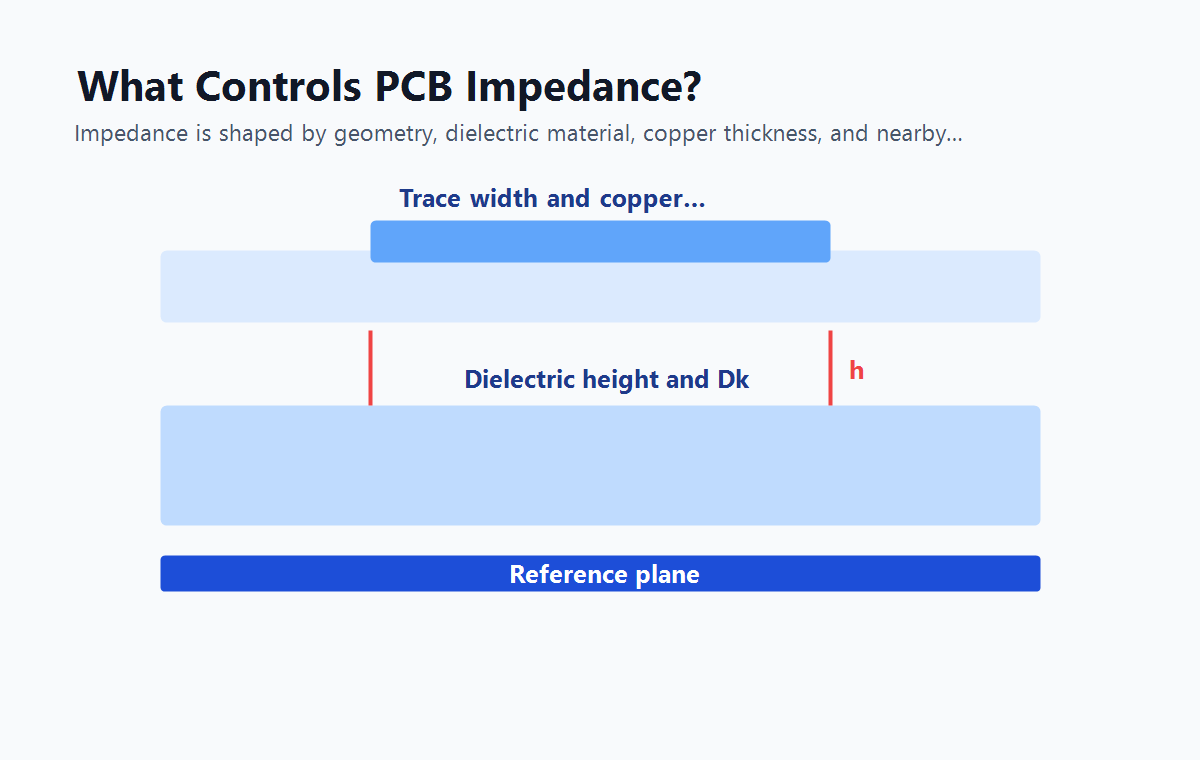
For a microstrip trace on an outer layer, the signal is referenced to a plane below the trace and partly surrounded by air and solder mask. For a stripline trace inside the board, the signal is embedded between reference planes. These structures behave differently, so a routing width that produces 50 ohms on one layer may not produce 50 ohms on another layer.
Single-Ended and Differential Impedance Are Not the Same Check
Single-ended impedance describes one trace referenced to a plane. Differential impedance describes a pair of traces carrying complementary signals. A differential pair depends on each trace's relationship to the reference plane and the coupling between the two traces. Pair spacing, trace width, layer height, and routing symmetry all matter.
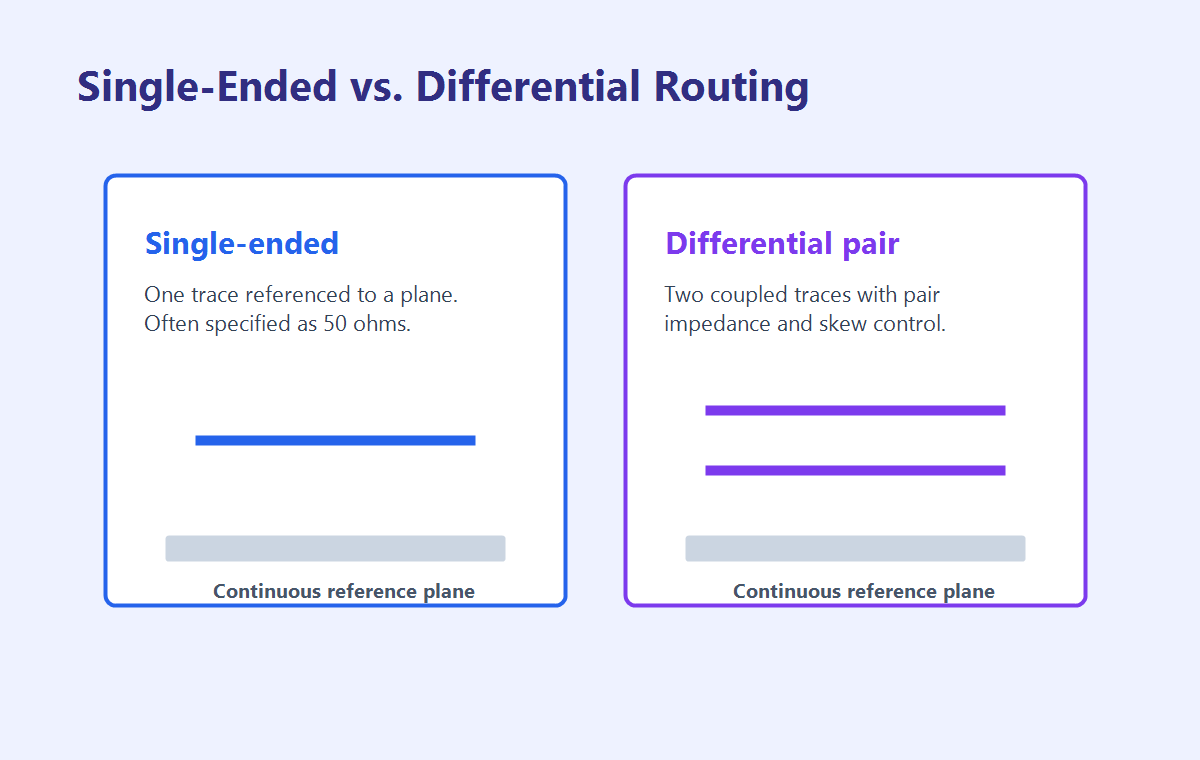
It is a common mistake to route a differential pair as two individually controlled 50-ohm traces and assume the pair will automatically meet a 100-ohm differential target. In practice, the coupling between the traces changes the result. The pair spacing and stackup must be part of the calculation.
USB
Usually needs differential impedance control and length/skew awareness.
Ethernet
Requires pair control, symmetry, and careful magnetics/connector routing.
RF
Often needs tighter geometry, launch review, and material awareness.
A Practical Controlled-Impedance Workflow
The best time to plan impedance is before layout begins. If the stackup is already fixed, the routing rules may be constrained. If routing is already complete, changing trace width or pair spacing can create rework. A practical workflow starts with net classification, then stackup planning, routing rules, fabrication review, and measurement expectations.
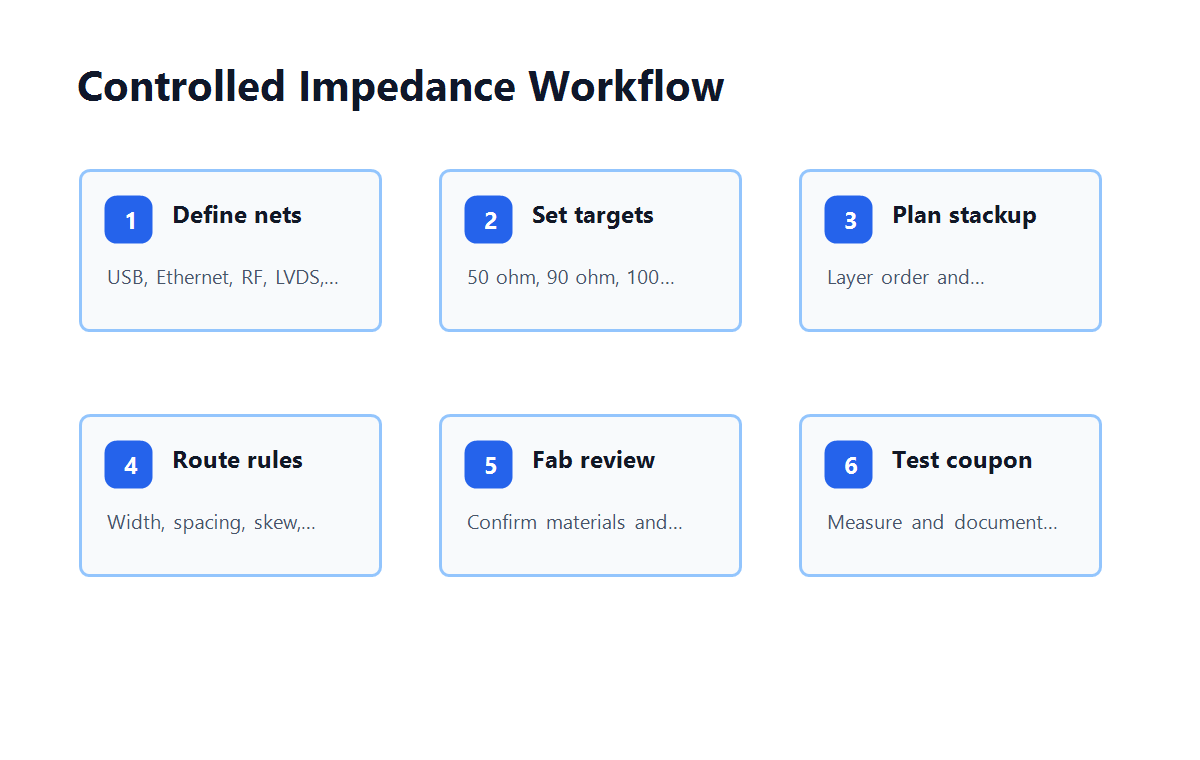
- Identify the interfaces. Mark nets that need impedance control, such as USB, Ethernet, HDMI, PCIe, MIPI, LVDS, RF, or fast clocks.
- Define target values. Record single-ended or differential impedance values and tolerances based on interface requirements or engineering analysis.
- Confirm the stackup. Decide which layers carry controlled routes and which planes serve as references.
- Set routing rules. Use layer-specific width, spacing, clearance, and skew rules rather than one global rule for every layer.
- Ask for fabrication review. Let the fabricator confirm whether the material and geometry are realistic for production.
- Use measurement when needed. For controlled-impedance boards, test coupons or agreed measurement methods can document production results.
Diagnostic Matrix: What Symptom Points to Which Cause?
| Symptom | Possible Cause | Design Review Focus |
|---|---|---|
| Signal reflections | Impedance discontinuity or poor termination | Trace geometry, connector launch, vias, termination network |
| Excessive EMI | Broken return path or large loop area | Reference plane continuity, stitching, split-plane crossings |
| Differential skew | Unmatched pair length or asymmetric routing | Pair length, via count, bends, serpentine strategy |
| Unexpected impedance measurement | Material, plating, or stackup mismatch | Dk value, dielectric height, copper thickness, coupon method |
Common Mistakes That Create Impedance Problems
Many impedance failures are not caused by one dramatic mistake. They come from small mismatches between layout assumptions and fabrication reality. The design may specify a target impedance but omit the layer, tolerance, material, or measurement method. Or the layout may use the correct rule on one layer and then switch layers without updating geometry.
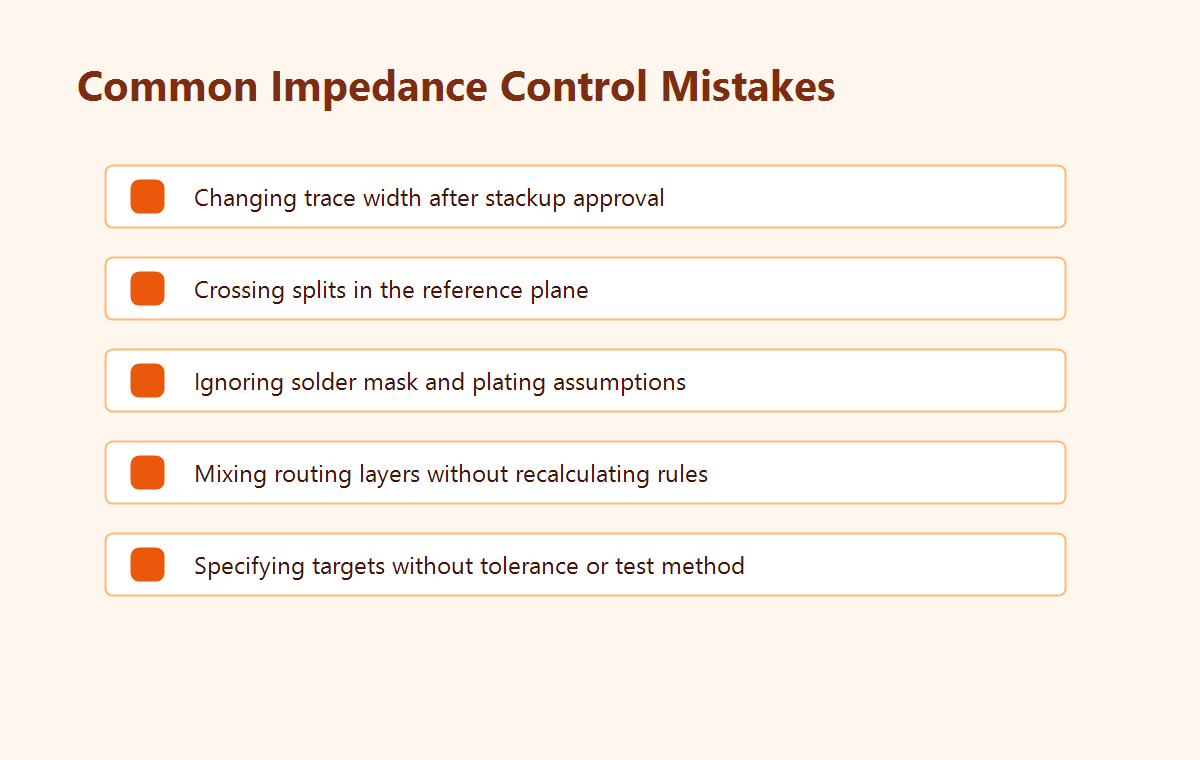
Another frequent issue is crossing a split in the reference plane. Even if the trace width is correct, the return path is disrupted. The signal may still pass a simple connectivity check, but it can create noise, radiation, or timing margin problems in real operation.
Mark's rule of thumb
If a controlled trace changes layer, ask three questions immediately: what is the new reference plane, does the impedance rule still apply, and is there a clean return path through the transition?
What the Fabricator Needs From You
Controlled impedance requires collaboration with the PCB fabricator. The design team can specify targets, but the fabricator understands actual material availability, lamination behavior, copper plating variation, etching compensation, and test coupon procedures. Early review prevents unrealistic geometry from becoming a production hold.
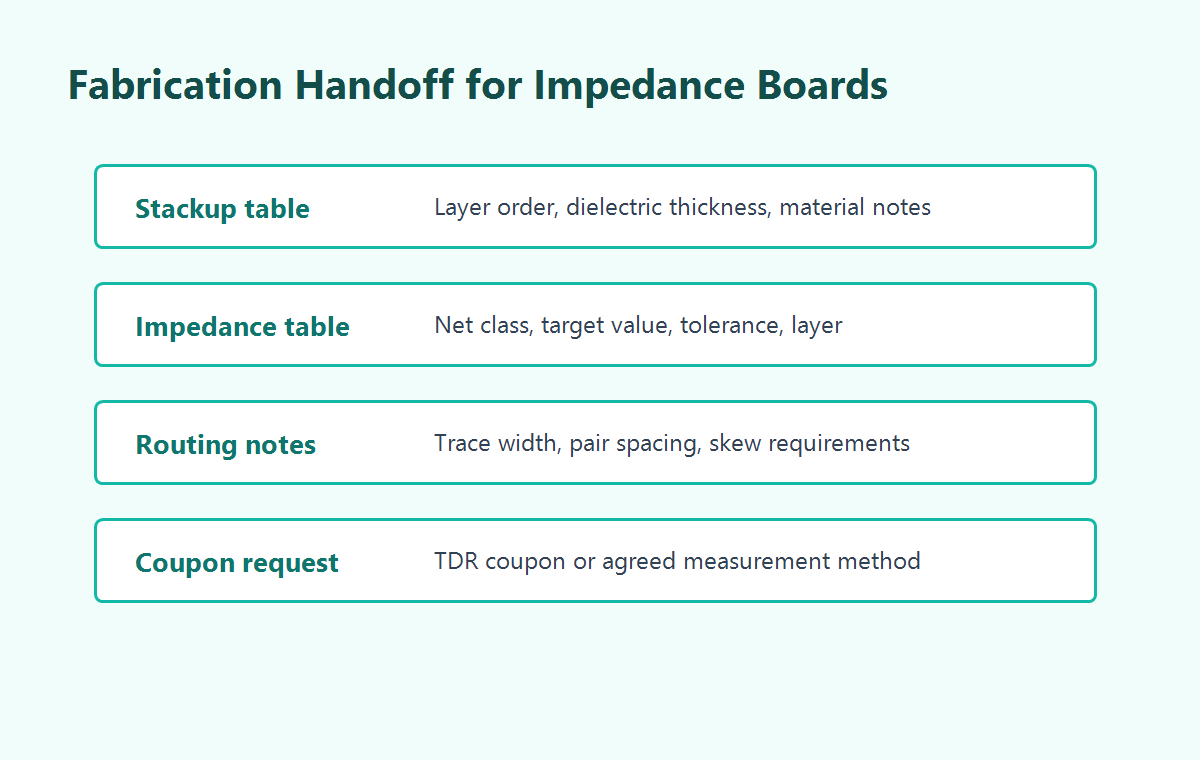
A good fabrication handoff should include the stackup table, controlled impedance table, target values, tolerances, routing layers, reference plane notes, and whether impedance coupons or reports are required. If the design depends on a specific material family, copper weight, or dielectric constant, that information should be stated clearly.
Checklist Before Releasing Controlled-Impedance Files
- List every impedance-controlled net class and its target value.
- Confirm whether each target is single-ended or differential.
- Assign each controlled net class to a specific routing layer and reference plane.
- Use layer-specific width and spacing rules from the approved stackup.
- Avoid routing controlled traces across plane splits, voids, or poorly stitched transitions.
- Document differential-pair spacing, skew limits, and via transition expectations.
- Ask the fabricator to confirm material, dielectric thickness, copper thickness, and tolerance assumptions.
- Specify whether impedance coupons or measurement reports are required for the order.
Conclusion
PCB impedance control is a chain of decisions: interface requirement, stackup, trace geometry, reference plane, routing discipline, fabrication tolerance, and measurement. When those decisions are documented clearly, high-speed boards are easier to quote, build, inspect, and debug.